Why Our GTM MCP Server Logged Out Every 30 Minutes
A hosted MCP server dropped our session every 30 minutes. Running it ourselves fixed it - and revealed three Google OAuth traps nobody documents.

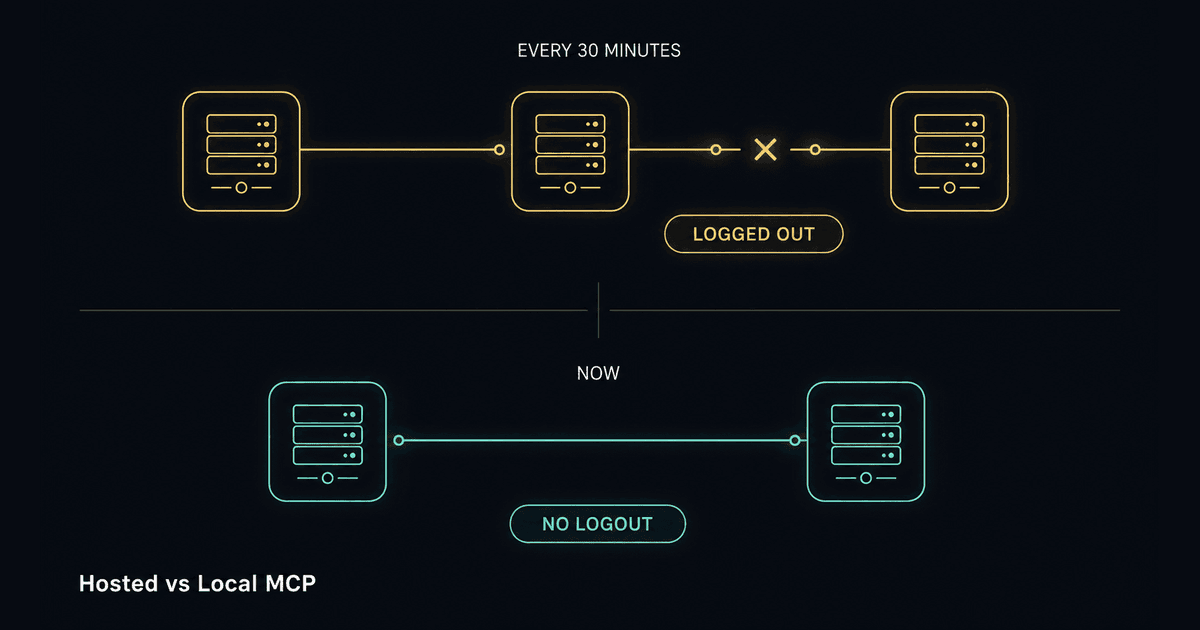
Our AI assistant could read and edit Google Tag Manager directly. It was genuinely useful — right up to the point where it logged us out every half hour.
Not once a day. Not at the end of a session. Every thirty minutes, mid-task, with a login screen where a container listing should have been. If you have ever had a tool break your concentration on a schedule, you know the specific irritation.
Fixing it properly meant taking the server off someone else's cloud and running it ourselves. That worked — but it also walked us into three Google OAuth traps that are almost completely undocumented, including one where doing the obviously correct thing is what breaks everything.
Here is the whole path, including the wrong turns.
First, what an MCP server is doing here
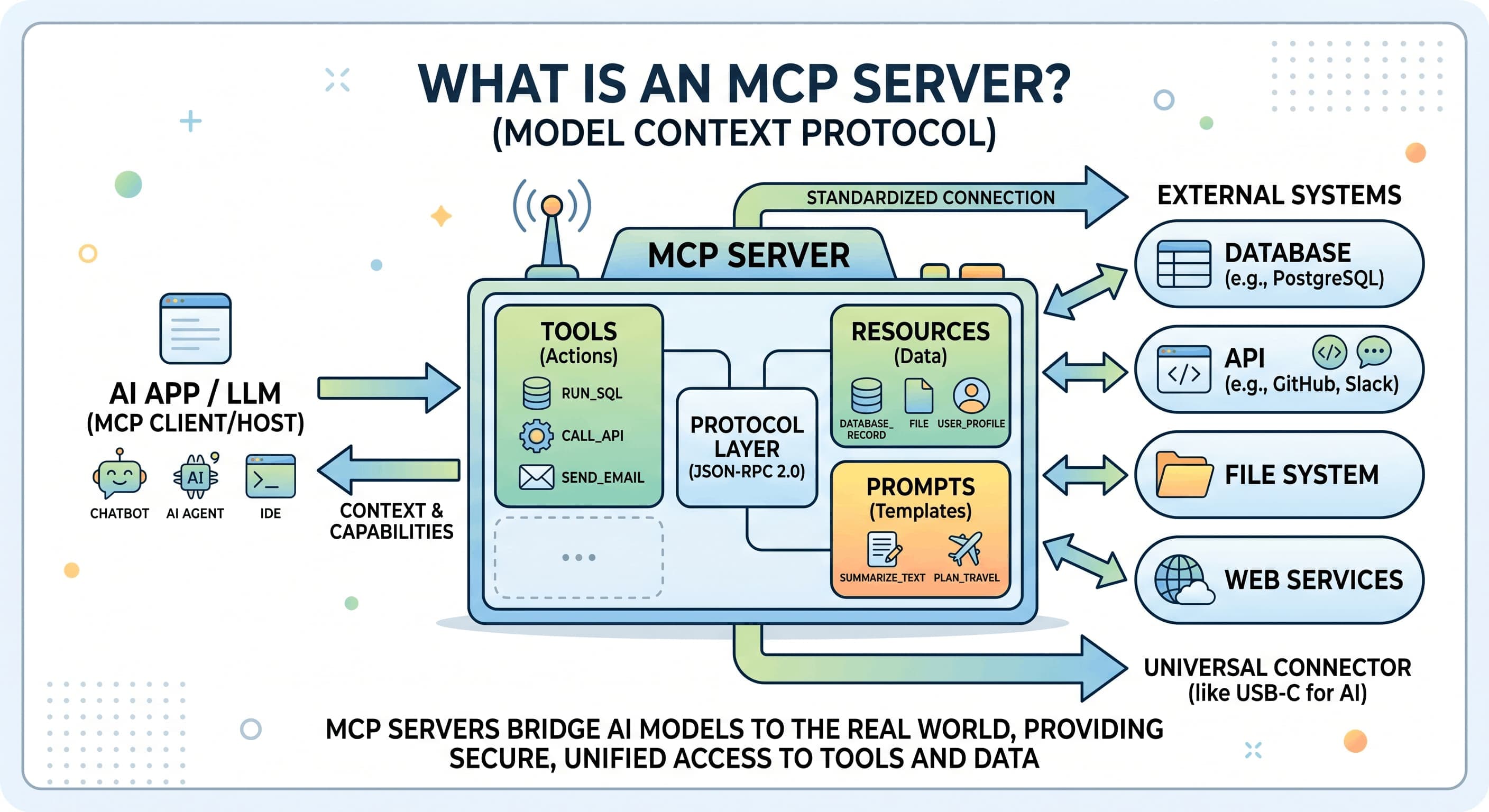
Model Context Protocol is the standard that lets an AI assistant talk to real systems — in this case the Tag Manager API. We covered the concept in Model Context Protocol: AI's USB-C Interface Explained, so the short version: MCP is the plug. An MCP server for GTM turns "list the tags in this container" into a real API call.
We were using Stape's GTM MCP server in its hosted form — Stape runs the software on their infrastructure, you log in with Google, and their server talks to the API on your behalf. Attractive setup. Nothing to install, nothing to maintain.
To be clear up front, because this post is going to be critical of one thing and not the other: the software is good. It is open source, actively maintained, and we still run it today. What we changed is where it runs and whose credentials it holds. That distinction is the whole story.
The convenience of the hosted form is exactly where the problem lived.
We measured it instead of guessing
The tempting move is to blame the vendor and move on. Instead we went looking for the token cache on disk — the bridge tool that connects a local AI client to a remote MCP server stores its credentials in a known folder.
Two cached sessions were sitting there, and reading them settled the question in about a minute:
| Cached session | Access-token lifetime | Refresh token present? |
|---|---|---|
| The GTM server | 1800 seconds (30 minutes) | yes |
| An unrelated server | 3600 seconds | none at all |
There it was. The hosted service issued thirty-minute access tokens. Every half hour the bridge had to complete a silent refresh handshake, and when that handshake failed we got dumped back to a login screen. The second entry was worse in a quieter way — no refresh token at all, meaning it could only ever expire and never recover.
Both folders also held leftover lock and verifier files, the classic fingerprint of OAuth flows that started and never finished.
The lesson worth stealing: the symptom was "it logs me out", which sounds like a mystery. The artifact on disk said "1800 seconds", which is not a mystery at all. Read the artifact before forming a theory.
Confirming which cached session is which
Cache folders are usually named after a hash of the server URL, not something readable. Hash the endpoint yourself and match it:
echo -n "https://the-mcp-endpoint.example.com/mcp" | md5sumThis matters more than it sounds. It let us clear only the misbehaving entry instead of wiping the whole credential folder and forcing re-logins on unrelated tools — which is what most "just delete the cache" advice would have cost us.
Why the hosted setup was structurally fragile
Counting the moving parts explains everything:
AI client -> local bridge process -> vendor hosted server -> Google APIThree hops, three failure points, and the two in the middle were the two we did not control. The hosted server held the Google session. The bridge held the token refresh logic. We held neither.
And here is the part that makes this a fixable problem rather than a vendor complaint: Stape publishes the server as an npm package that runs locally, over stdio, on credentials you supply. Same code, same tools, same maintainers. That collapses the diagram:
AI client -> local server -> Google APIOne hop, and we control it. No vendor session to expire, no bridge to fumble a refresh. Nothing to log out of.
Worth being precise, because this confuses people: running it locally does not mean running a server in the cloud. The software runs on the workstation. A cloud console is involved only once, to issue credentials — like visiting a passport office. You collect a document and leave; the office does not follow you around.
Attempt one: a service account (wrong for agency work)
The obvious way to authenticate a machine is a service account — a robot identity with a private key. It signs its own tokens, refreshes them forever, and can never be logged out. For a single-owner setup it is the right answer, and we had it working inside twenty minutes.
Then it collided with how agency access actually works.
A service account is its own identity. It inherits nothing. It does not get your GTM access just because you created it. To reach a client's container, that robot email has to be added as a user inside that client's GTM account.
Two problems, and the second is fatal:
- It does not scale. Every client account needs a manual addition. Every new client, forever.
- You usually cannot do it yourself. Only Account Administrators can add users in GTM. When a client grants an agency access, they typically hand over container-level permissions — not account admin. So you would be emailing every client asking them to add a cryptic robot address to their Tag Manager.
There is a Google feature built precisely for "act as this user and inherit their access" — domain-wide delegation. It requires Google Workspace with an admin console. On a standard Gmail account it simply does not exist.
Right tool, wrong shape for this job.
Attempt two: authenticate as a real user
The alternative is an OAuth refresh token tied to an actual Google account — the one that already holds all the client access.
The difference is night and day. The server is that user, so it sees every account that user can see, with no per-client setup. Any client who grants access in future appears automatically. Nothing to provision, ever.
That is the right architecture for agency work. Getting Google to hand over the token is where the traps live.
Three traps Google does not warn you about
Trap 1: the error message points the wrong way
The consent screen has a publishing status. To move from Testing to In production you click Publish app — except the button was greyed out, above a banner saying our OAuth configuration was incomplete and we should visit the Branding page.
Branding was complete. Every required field was filled, and the Save button was greyed out too, which is the console's way of saying there is nothing left to save.
The actual cause: no OAuth client existed in the project yet. You cannot publish an app that has no client. The banner blames Branding, which is where you will waste your time. Create the client first, then publish.
Trap 2: publishing demands a homepage and a privacy policy
Fields that are optional in Testing become mandatory the moment you publish:
- An application home page — live and public
- A privacy policy URL, hosted on the same domain as that home page
- The domain registered under Authorized domains (domain only — no protocol, no
www; full URLs are rejected)
One more, easy to trip: uploading an app logo triggers a verification requirement. The console says so in small text beside the upload box. If you are not going through verification, do not upload a logo.
Trap 3: publishing is the thing that breaks it
This is the one that cost us the most time, and it inverts normal intuition.
We filled in every field, published successfully, ran the login flow, and got:
This app is blocked
This app tried to access sensitive info in your Google Account.
To keep your account safe, Google blocked this access.
Not a warning. A wall.
The GTM editing permissions are classified by Google as sensitive scopes. For an app that has not completed Google's verification review:
| Publishing status | Unverified app requesting sensitive scopes |
|---|---|
| Testing | Works. You see a "Google hasn't verified this app" warning and click through. |
| In production | Hard blocked. Verification required before access is granted. |
Read that table again, because it is genuinely backwards. Testing is the working state. Publishing — the thing that feels like the responsible, finished, grown-up configuration — is what breaks a private internal tool.
Google's own documentation says it plainly once you know to look: if your app is in development or testing, leave the publishing status on Testing. Verification exists for apps with real external users. A tool used by one team is not that.
So we reverted to Testing, added the team account under Test users, ran the flow again, clicked through the warning, and it worked immediately — dozens of client accounts, all of them, inherited automatically.
All that homepage and privacy-policy work? Unnecessary. We did it to satisfy a publishing step we should never have taken.
What we run today
AI client -> local MCP server -> Google Tag Manager APIThe server is pinned to a specific version in a dedicated folder and launched by absolute path — no package-manager lookup at startup, no version drift, no surprise upgrade mid-week. Credentials live in the local config. Nothing transits a third party.
Startup went from "log in and hope" to instant.
The safety decision: we withheld the publish permission
This is the part we would encourage any agency to copy.
When you grant OAuth scopes, you choose them. We deliberately requested:
- read container configuration
- edit tags, triggers and variables in a workspace
- create container versions
And deliberately did not request:
- publish to a live container
- delete containers
The AI can build and stage a complete change. It cannot push anything live. A human opens Tag Manager and clicks Publish.
We work in containers that belong to paying clients. An agent mistake should land in a workspace draft where someone notices it, not on a production site. The scope list is the enforcement mechanism — not a policy document, not good intentions. The permission is simply absent.
One caveat: with the refresh-token approach, scopes are baked in at consent time. Changing your mind later means re-running the whole flow. Decide before you consent.
The tradeoff we accepted
Testing mode has a real cost: Google revokes the refresh token after seven days.
We took it, for an honest reason. The old failure was every thirty minutes, mid-task, unpredictably. The new one is once a week, at a moment we choose, fixed by one command that takes about twenty seconds. That is roughly a 300x improvement, and it moved the interruption out of our working hours.
We also wrote a small health check that reports the token state and prints the exact fix when it lapses, so the failure is never a mystery:
auth mode: refresh_token
HEALTHY - N GTM account(s) visible.
The permanent version is the service account after all — added once per account we administer, then no expiry ever. The refresh token is the bridge that made the tool usable today rather than after a provisioning project.
When to trust a hosted MCP server, and when to run it yourself
This is not an argument that hosted MCP is bad. It is an argument for counting the hops.
A hosted MCP server is fine when:
- it is read-only, or the stakes of failure are low
- it holds no credentials to systems you are responsible for
- an outage means inconvenience, not blocked client work
- you would rather not own the maintenance
Run it yourself when:
- it holds credentials to systems your clients depend on
- an outage stops billable work
- the identity model matters — inheriting existing access versus provisioning a robot per client is an architectural decision, not a detail
- you need to control exactly which permissions the AI receives
That last point decided it for us. On a hosted server you accept whatever scopes the vendor requests. Running it ourselves, we chose them — and the ability to withhold the publish permission is worth more than everything the hosted version saved us.
Takeaways
- Read the artifact before theorising. "Logs me out randomly" became a thirty-minute token lifetime the moment we opened the token cache.
- Count the hops between you and the API. Every intermediary is a failure point you do not control.
- Service accounts inherit nothing. For agency work where access is granted to a person, authenticating as that person is the scalable model.
- Domain-wide delegation needs Workspace. On personal Gmail it is not an option.
- Do not publish an internal OAuth app. Testing is the working state for unverified apps requesting sensitive scopes. Publishing hard-blocks them.
- Withhold the permissions you do not want used. The safest way to stop an agent publishing to a client's live container is to never grant the ability.
The tool now does what it promised on day one: we ask about a container, and we get an answer instead of a login screen.
Server-side tracking insights, in your inbox
Case studies and engineering deep-dives — a few emails a year, no noise.
No spam. Unsubscribe any time with one reply.
Related posts
Claude Skills: Teach AI Your Team's Playbook
Pixel Logic TeamPrompts give you a clever generalist. Skills give Claude a specialist's playbook — your tools, your conventions, your footguns. Here's how they work.
Model Context Protocol: AI's USB-C Interface Explained
MCP is the open standard that lets AI systems seamlessly talk to any external tool or data source. Learn how it works, why Anthropic created it, and how to build servers for production use.
How to Fix Typeform iFrame for Google Ads Enhanced Conversion Tracking
Missing out on high Event Match Quality Scores (EMQS) due to trapped iFrame data? When first-party data is hidden inside an embedded Typeform, your Meta Pixel and Conversions API lose the critical signals needed for Enhanced Conversions. In this technical deep-dive, we show you how to engineer a lightweight cross-domain tracking bridge using Google Tag Manager and postMessage. Discover how to securely pass isolated lead parameters directly into the parent domain's local storage and data layer—in